Revenue Agreements: Agency Setup Guide


How to Set Up Revenue Agreements on Fanfix
Revenue Agreements allow agencies to automatically receive their agreed-upon share of creator earnings directly through Fanfix’s new payout system. Once set up, approved agency splits are handled automatically, reducing the need for manual invoicing.
Here’s how to set it up:
Before You Begin
Before your agency can create Revenue Agreements, you’ll need Agency Manager access.
- Create a standard Fanfix (fan) account.
- Send the account email/username to your Fanfix contact.
- Fanfix will enable Agency Manager access for that account.
- Once confirmed, log out and back in to refresh your permissions.
Step 1: Complete Payout Setup
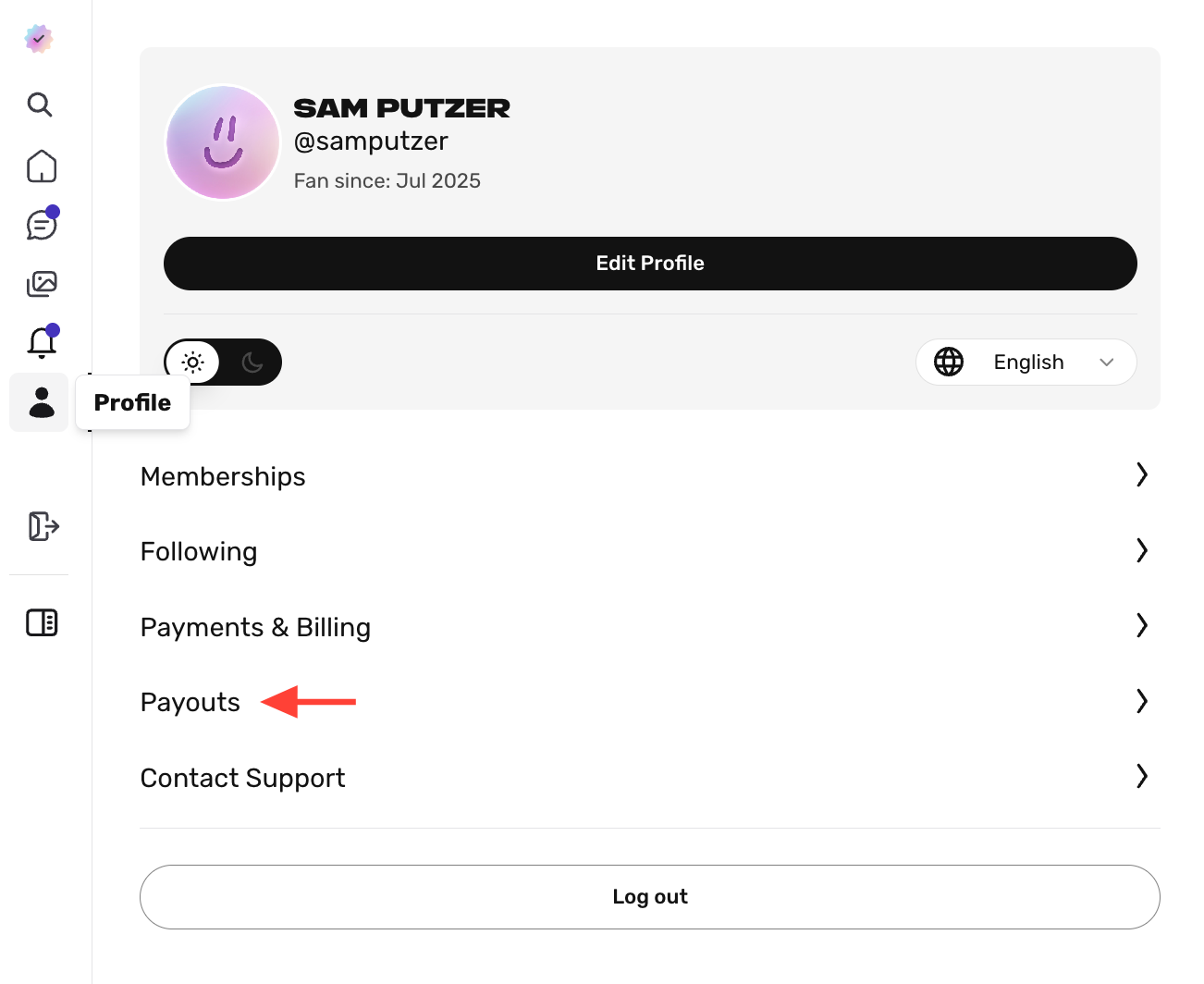
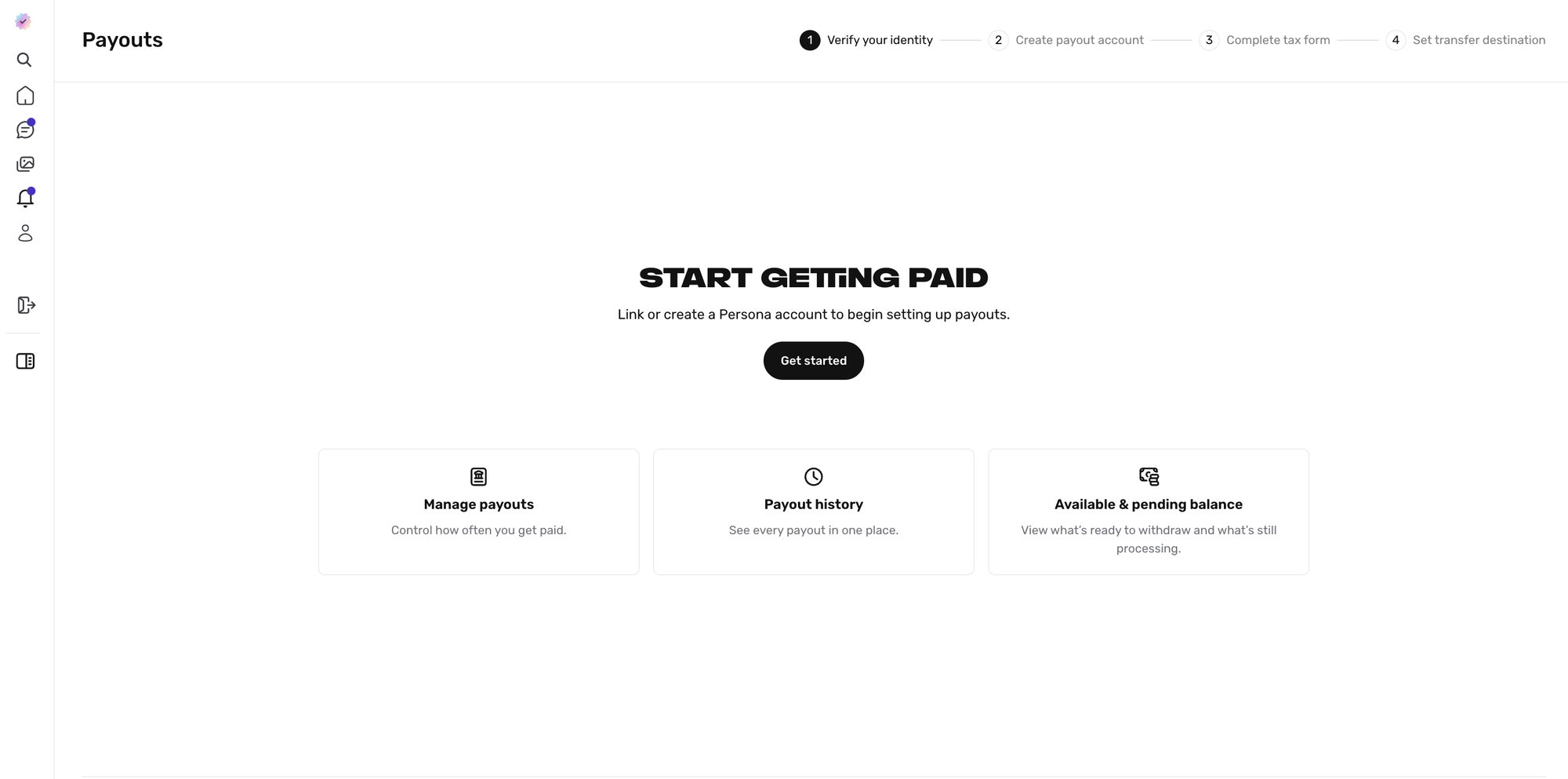
Open your Profile Settings, then select Payouts. Click Get Started and follow the payout onboarding steps to connect your agency’s payout account.
Once payout setup is complete, you’ll be able to initiate Revenue Agreements with creators.
 Sam Putzer
After submitting your payout account information, you may see a “Setting up your payout account” screen while your account is being approved. This is expected. Most approvals happen quickly, but if it takes more than 24 hours, please reach out to your Fanfix contact.
Step 2 : Initiate a Revenue Agreement
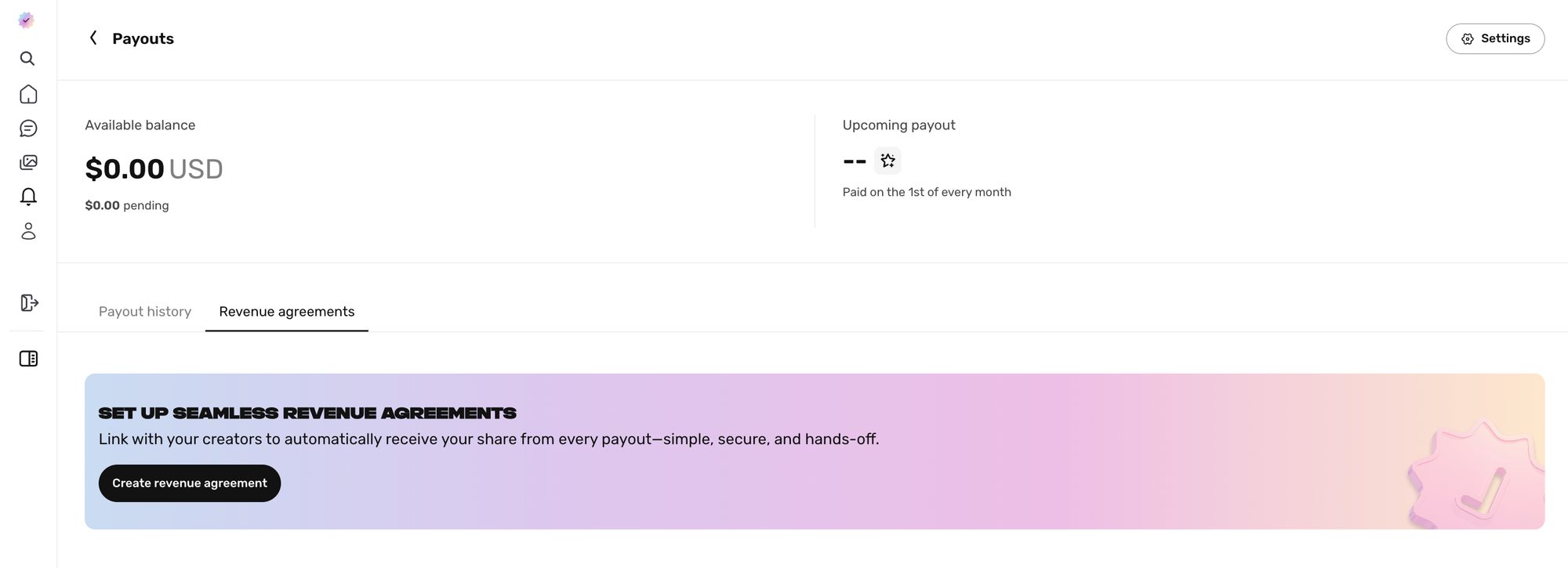
Once payout setup is complete, go to the Revenue agreements tab next to Payout history, then click Create revenue agreement.
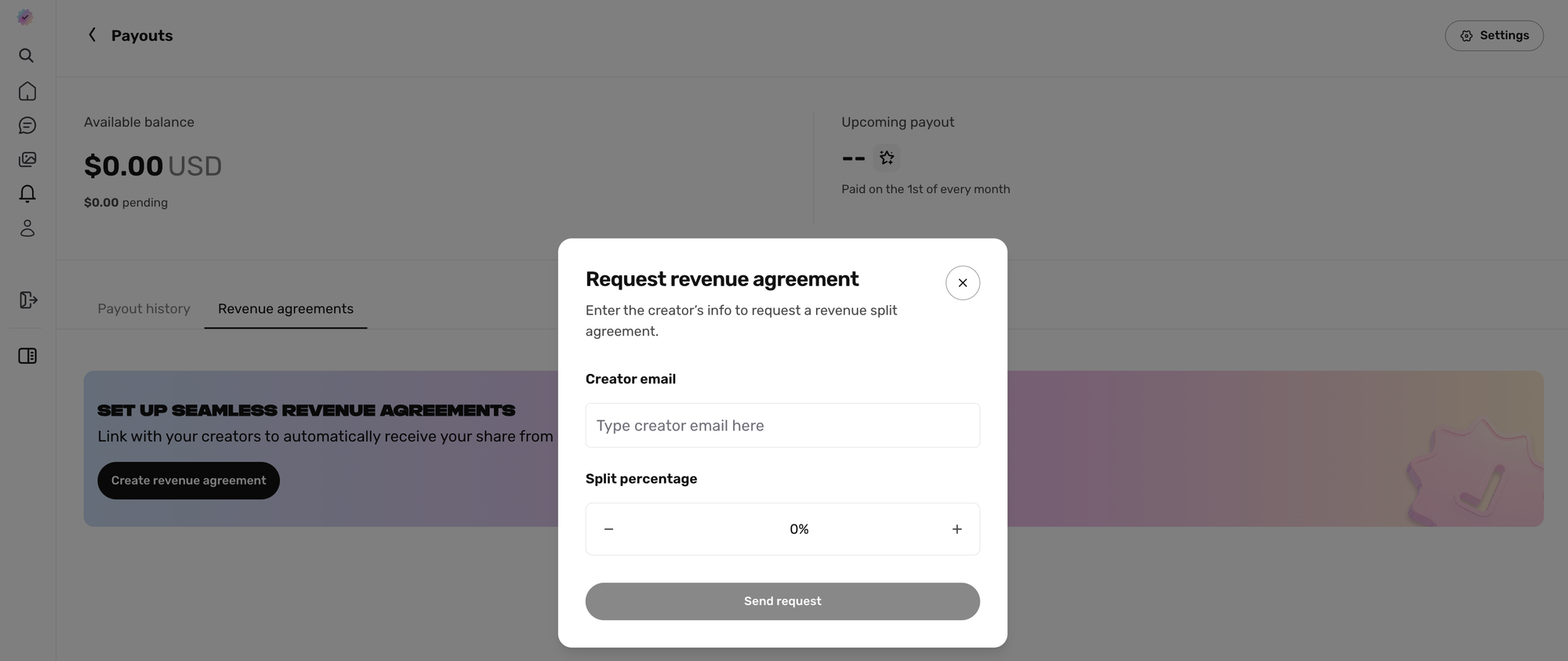
Enter the creator’s account email and the agreed-upon split percentage, then click Send Request. The creator will receive an email prompting them to review and accept the agreement. Once the creator accepts, the Revenue Agreement will be active and the split will be set up automatically.
Understanding Your Payouts Dashboard
Once your payout setup is complete, you can manage your earnings from Revenue → Payouts.
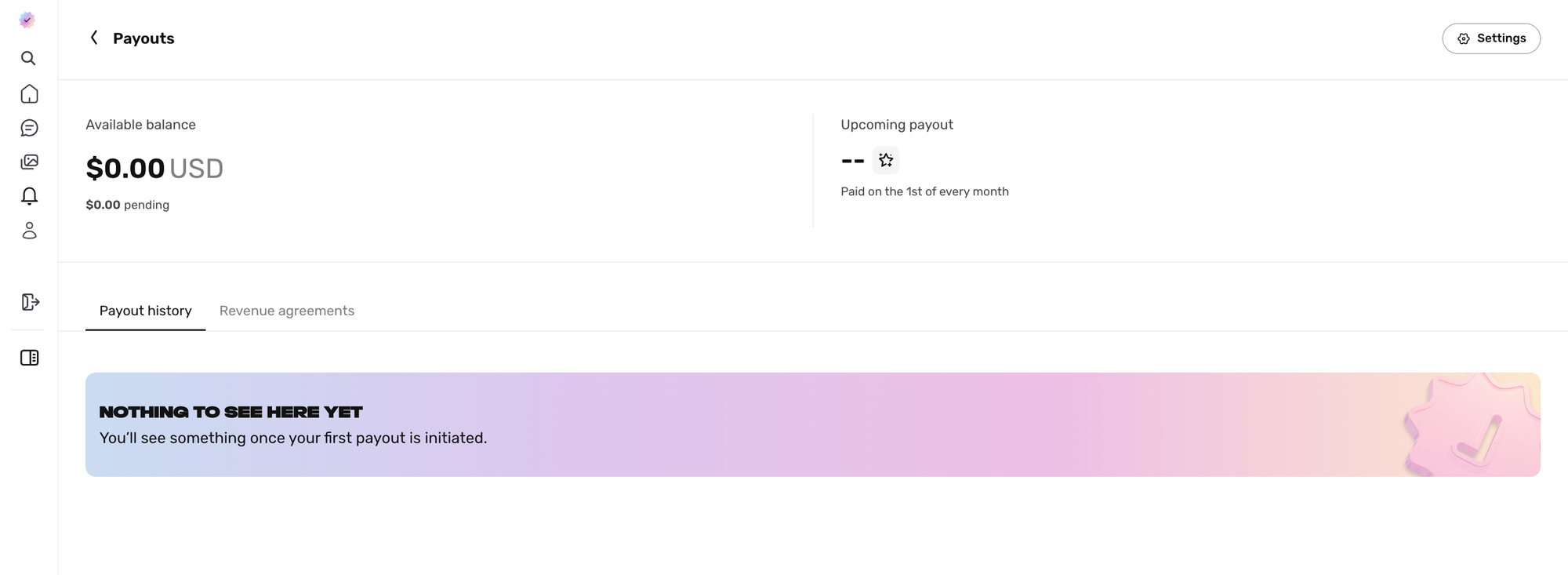
At the top of the page, you’ll see your current balance information:
- Available balance - This is the amount that has cleared and is ready to be paid out.
- Pending balance - This is the amount that is still processing.
Below your balance, you’ll see your Payout history. This is where you can view previous withdrawals once payouts have been initiated.
Next to Payout history, you’ll also see the Revenue agreements tab. This is where you can view active Revenue Agreements, track pending requests, and initiate new agreements with creators.
You can also click Settings in the upper right corner to manage your payout preferences.
From Payout Settings, you can:
- Update your transfer destination - Change the bank account where your payouts are sent.
- Change your recurring payout cadence - Choose how often you want payouts to be sent to your bank account, including monthly, bi-weekly, or weekly.
You're All Set
Once your payout setup is complete and the creator accepts your Revenue Agreement, your agency’s agreed-upon share will be automatically routed through Fanfix’s payout system.
You can return to the Revenue Agreements tab at any time to view your active agreements, track pending requests, and initiate new agreements with creators.
For any changes or questions related to an agreement, please reach out to your Fanfix contact.