🎨 Revamped Message Blast Feature for Creators
The Message Blast tool just got an upgrade! Here’s a quick walkthrough of the newly redesigned components and the latest feature to help you send smarter, more targeted messages to your fans.
🔹 Getting Started
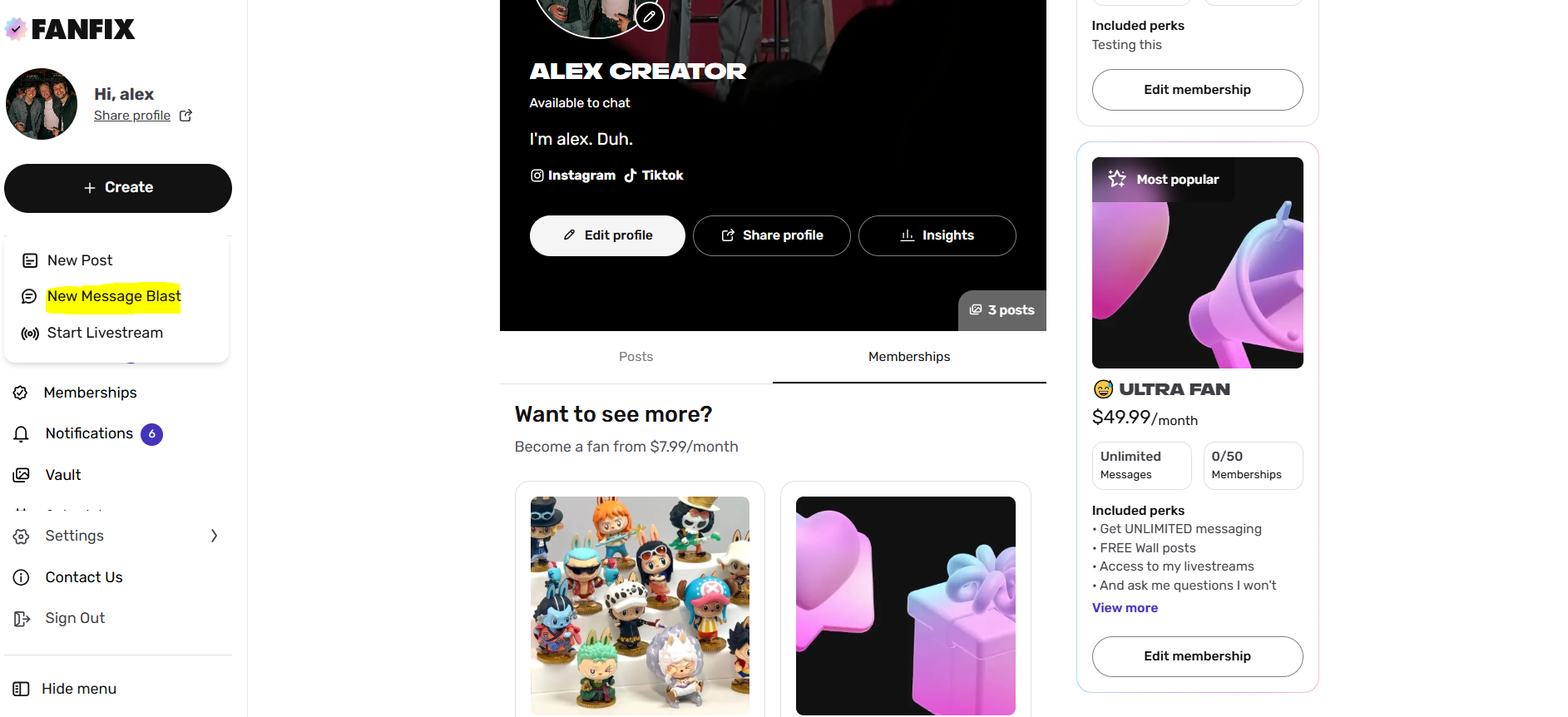
- Login as a Creator
- Click “Create” and select “New Message Blast.”
- Start composing your message.
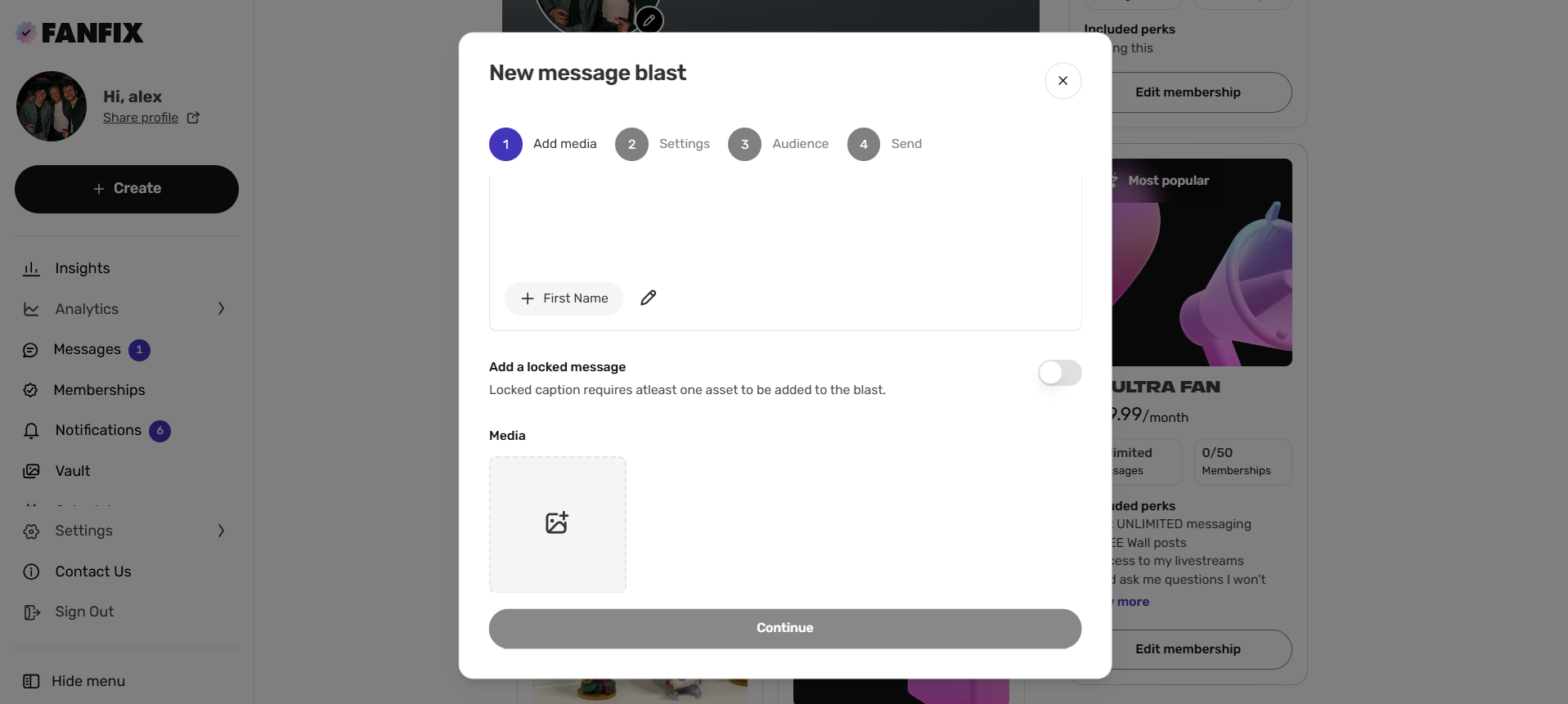
📎 Add Media
Attach images, videos, or other media to enhance your message. Once you're ready, click Continue.
✨ Tip: Add Personalization
You can include dynamic elements such as the fan’s first name to make your messages more personal.
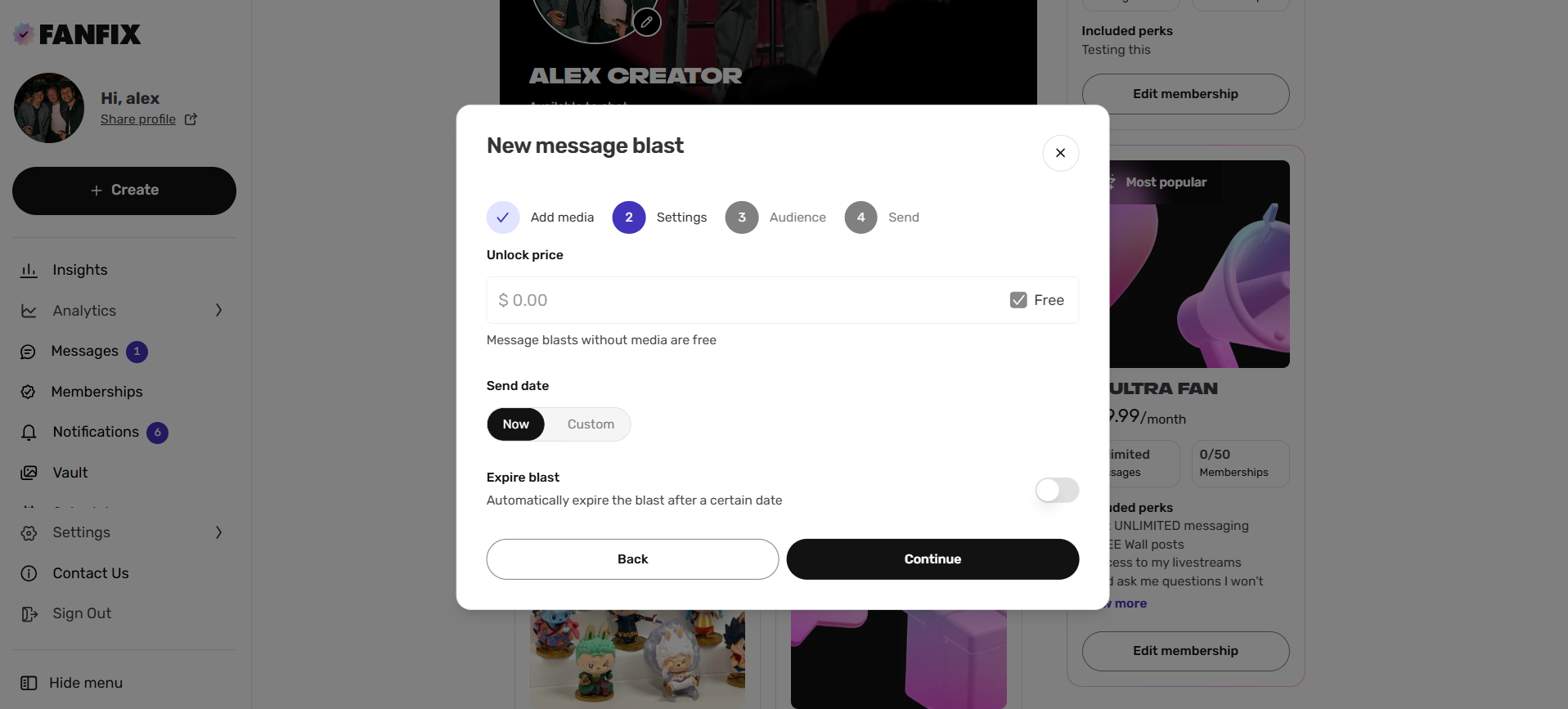
💰 Set Unlock Price
Choose the price fans must pay to unlock the Message Blast.
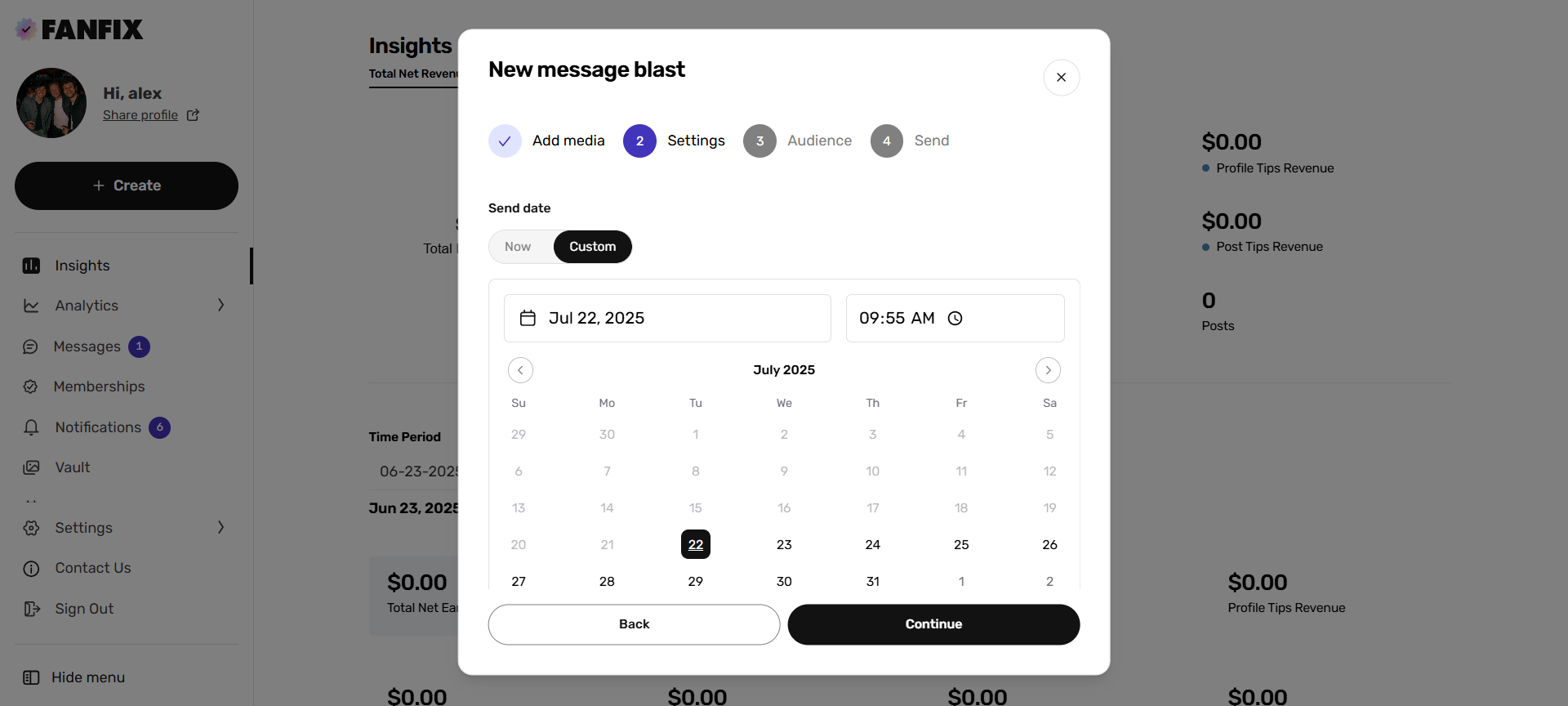
🗓 Schedule Delivery
Pick your send date:
- Send now
- Or schedule for later
- Choose to expire the message on a certain date. This will add a countdown to the message. Once expired, the message is no longer purchasable. You can also choose to unsend the message after expiration to remove it from the conversation.
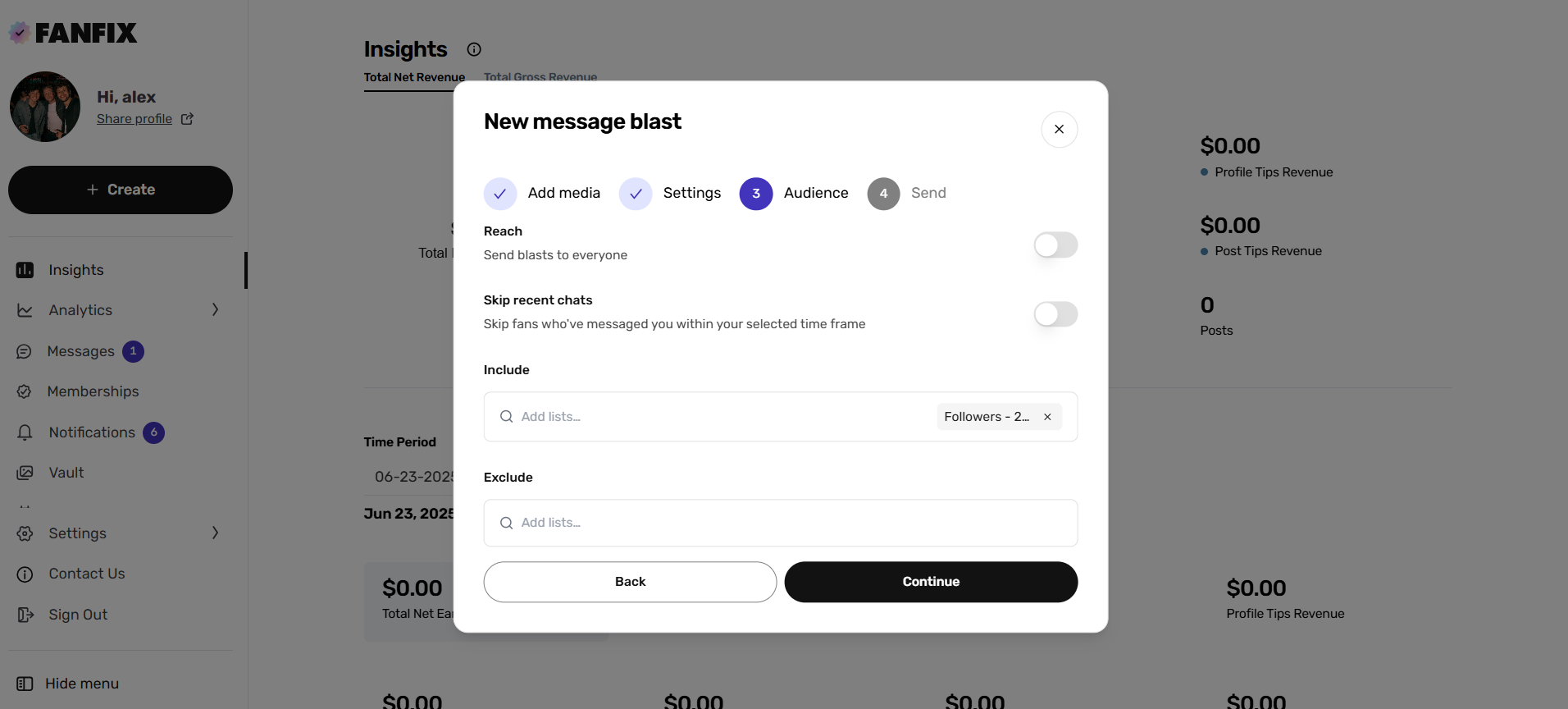
🎯 Choose Your Audience
Select your target fans:
- Use a custom or autogenerated list from your account (eg. Subscribers)
- Optionally, exclude fans to refine your audience (eg. Followers)
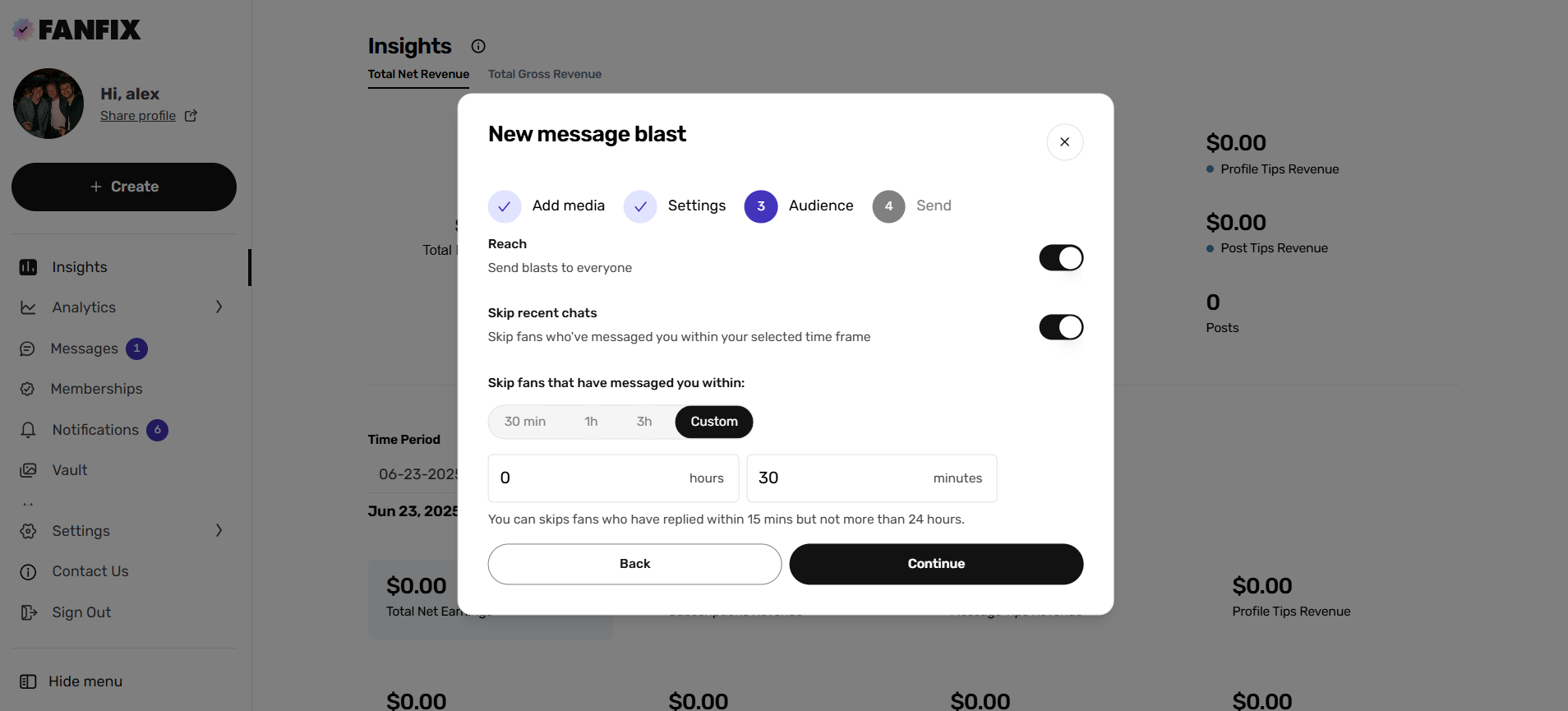
🆕 New Feature: Skip Recent Chats
Before you continue, check out the “Skip Recent Chats” toggle — our latest addition!
- Avoid blasting fans you've recently messaged.
- Options: 30 minutes, 1 hour, 3 hours, or a custom time.
This helps prevent redundancy and avoids interrupting ongoing conversations.
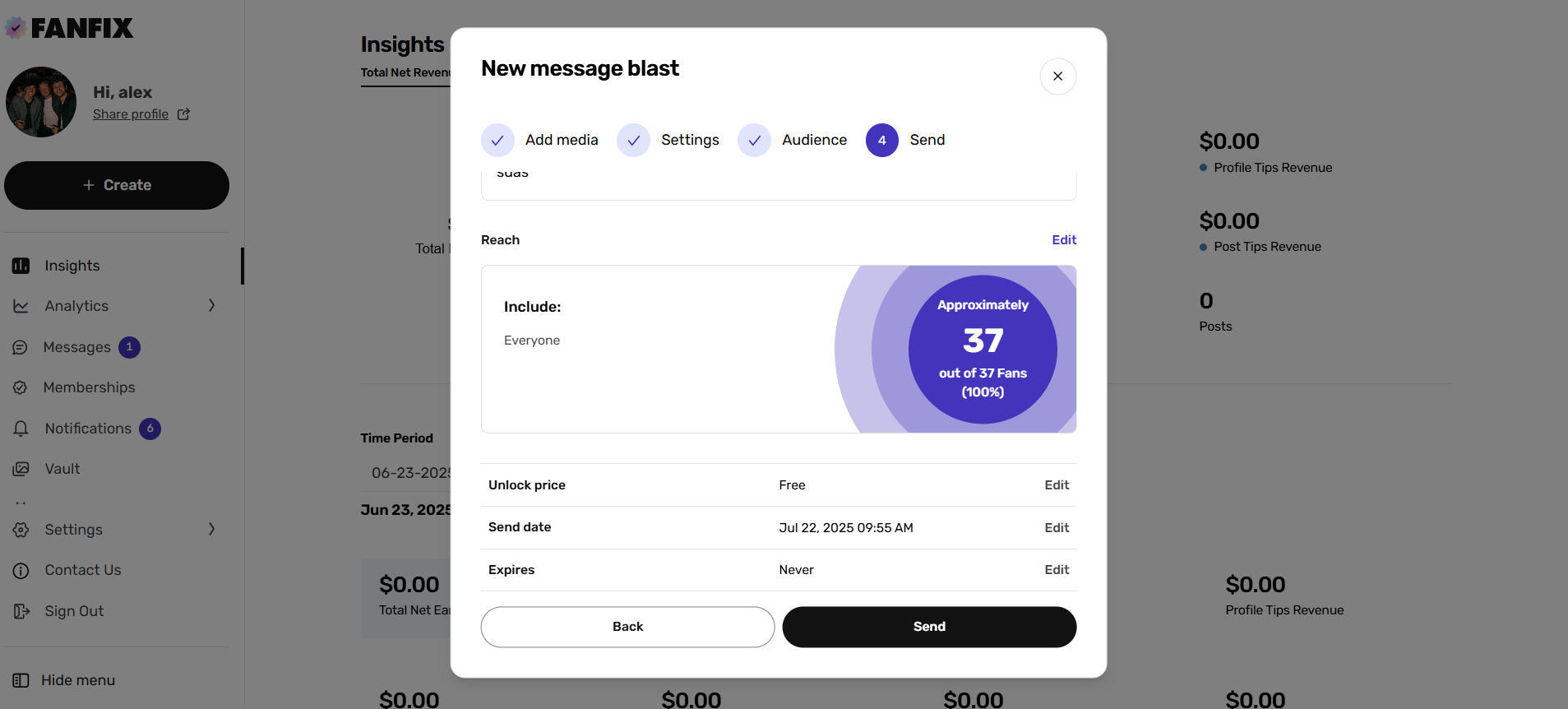
✅ Final Review
You’ll see a summary including:
- Your message
- Media
- Reach
- Unlock price
- Send date
- Audience
Once everything looks good, hit Send or Schedule — and you’re all set!
This streamlined Message Blast update makes it easier to engage fans meaningfully while giving you more control over who receives your content and when. Happy blasting!