🔥 New Feature Announcement 12.11.25


We’re rolling out new updates that give you more control over livestreaming, messaging, and how you track your earnings.
From OBS streaming to real-time earnings, message replies, GIFs, and automatic livestream recordings — these tools give you more control and flexibility as you create.
Here's everything that's new 👇
🎥 OBS Livestream Support
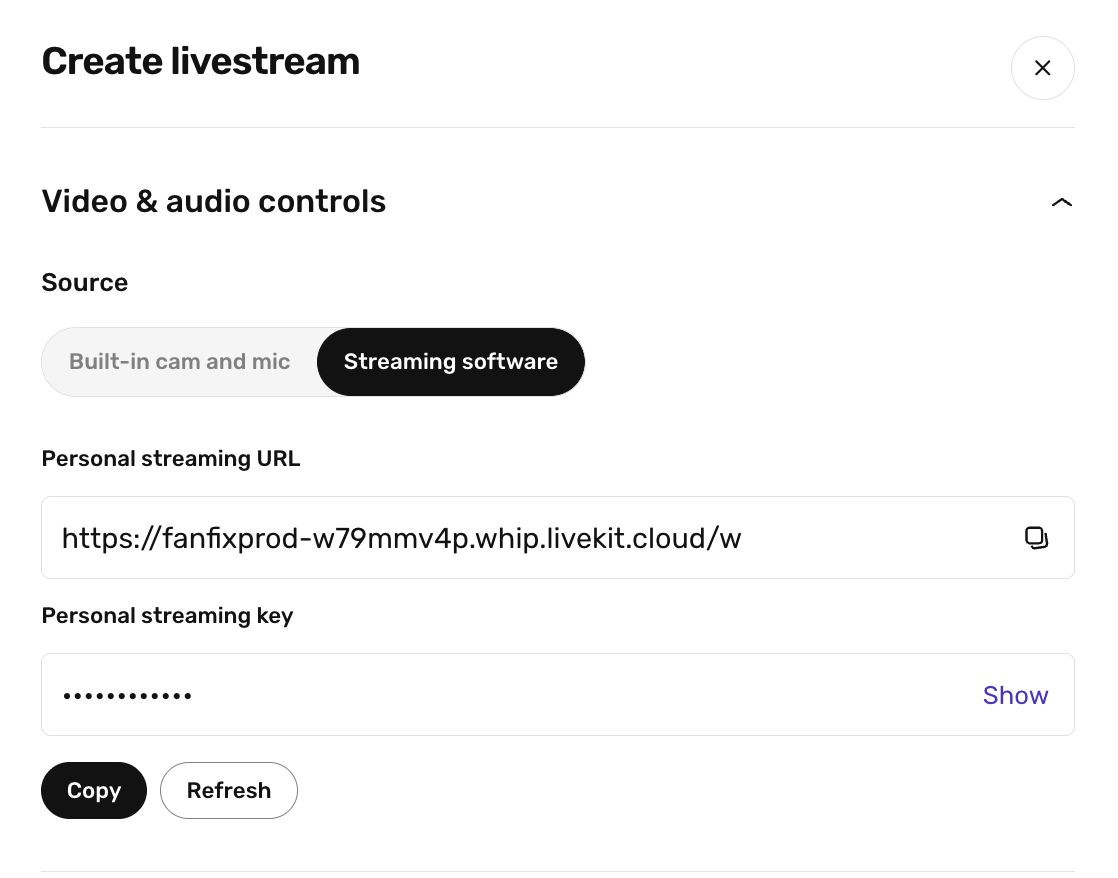
Creators can now go live on Fanfix using OBS Studio or other livestreaming software like Streamlabs — with multi-streaming support on the way. This lets creators bring their full streaming setup directly into Fanfix.
Inside the livestream setup page, you’ll now see a Streaming software option with your Personal Streaming URL and Stream Key.
These connect Fanfix to OBS (or any other tool) so you can stream with your preferred setup.
 Sam Putzer
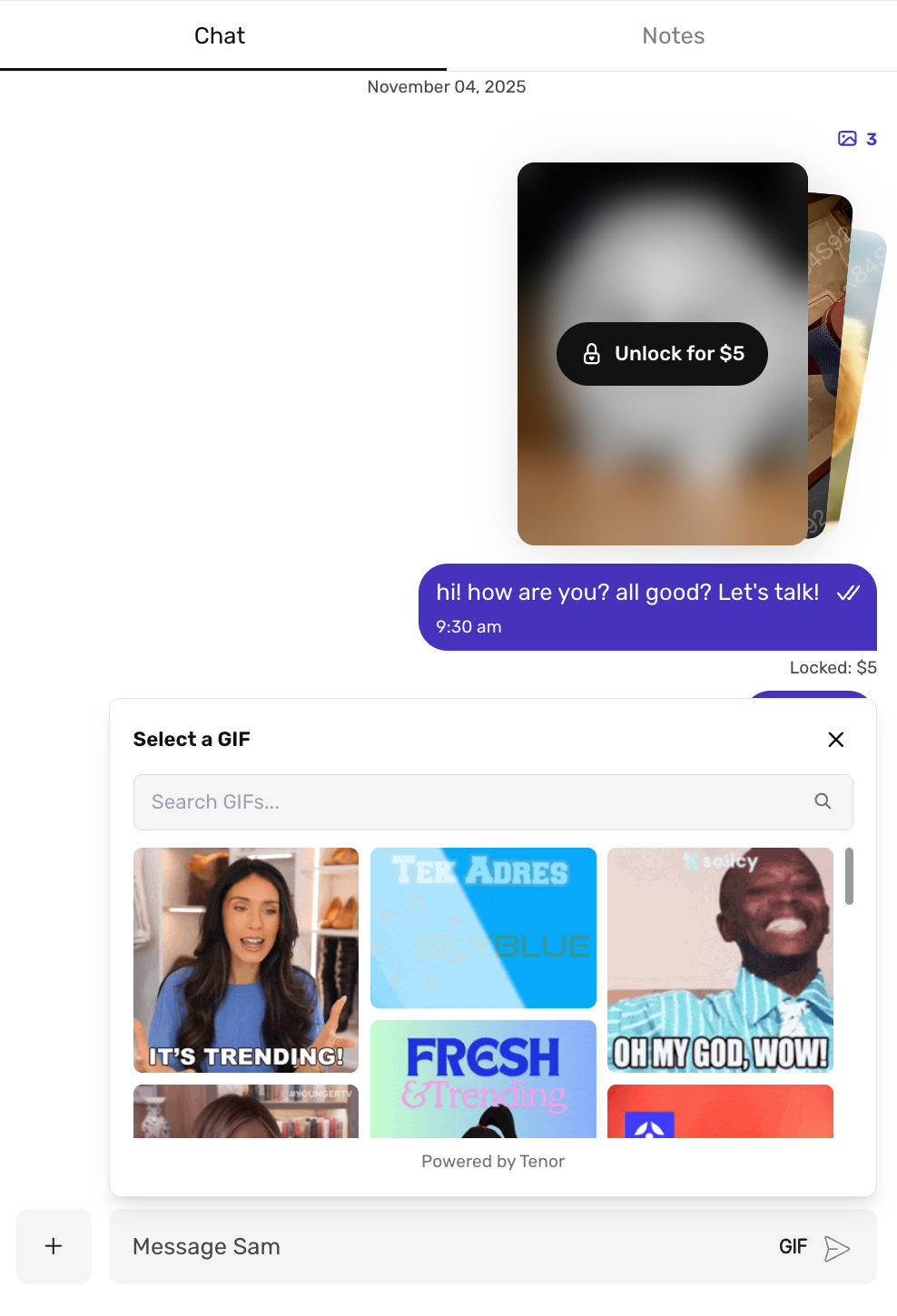
😂 Send GIFs in Messaging
Messaging on Fanfix just got a lot more fun.
You can now send GIFs in chat. You can browse trending GIFs, search for the perfect one, and send it instantly.
💬 Message Replies
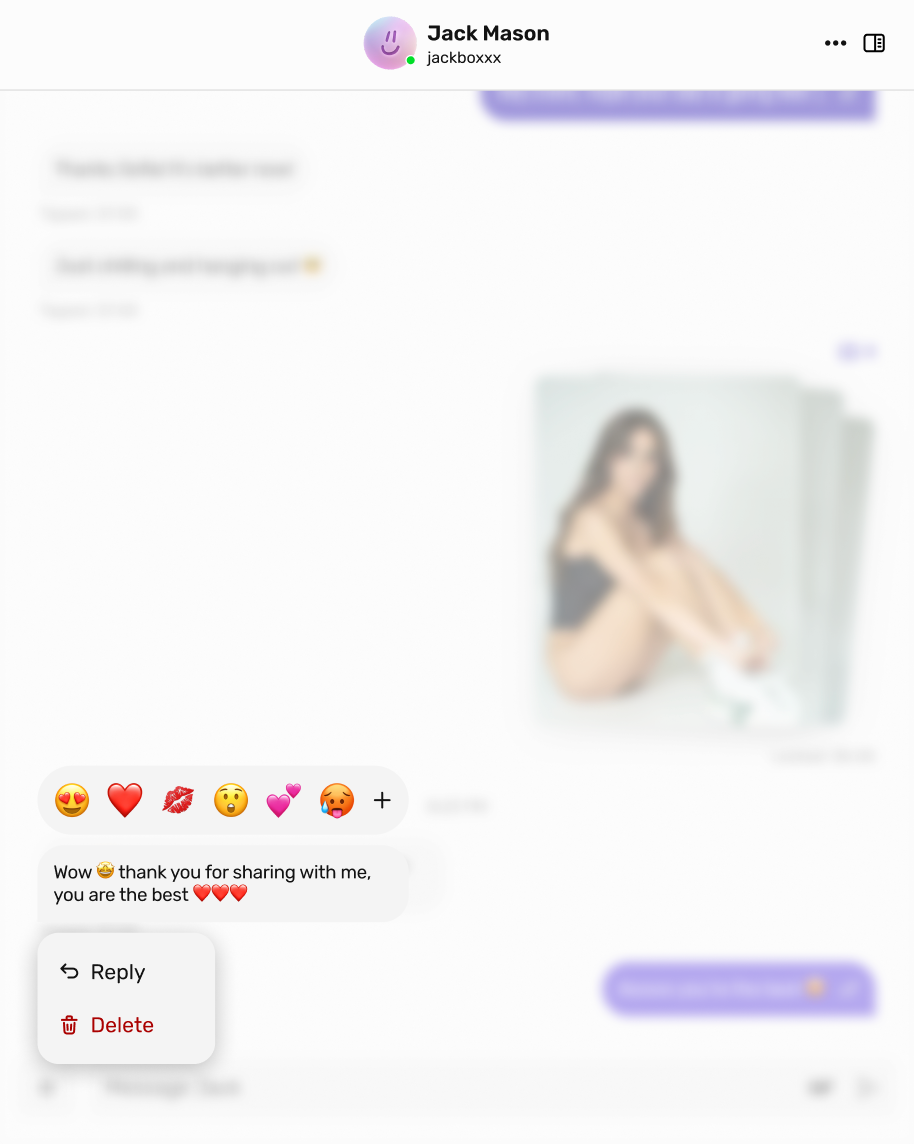
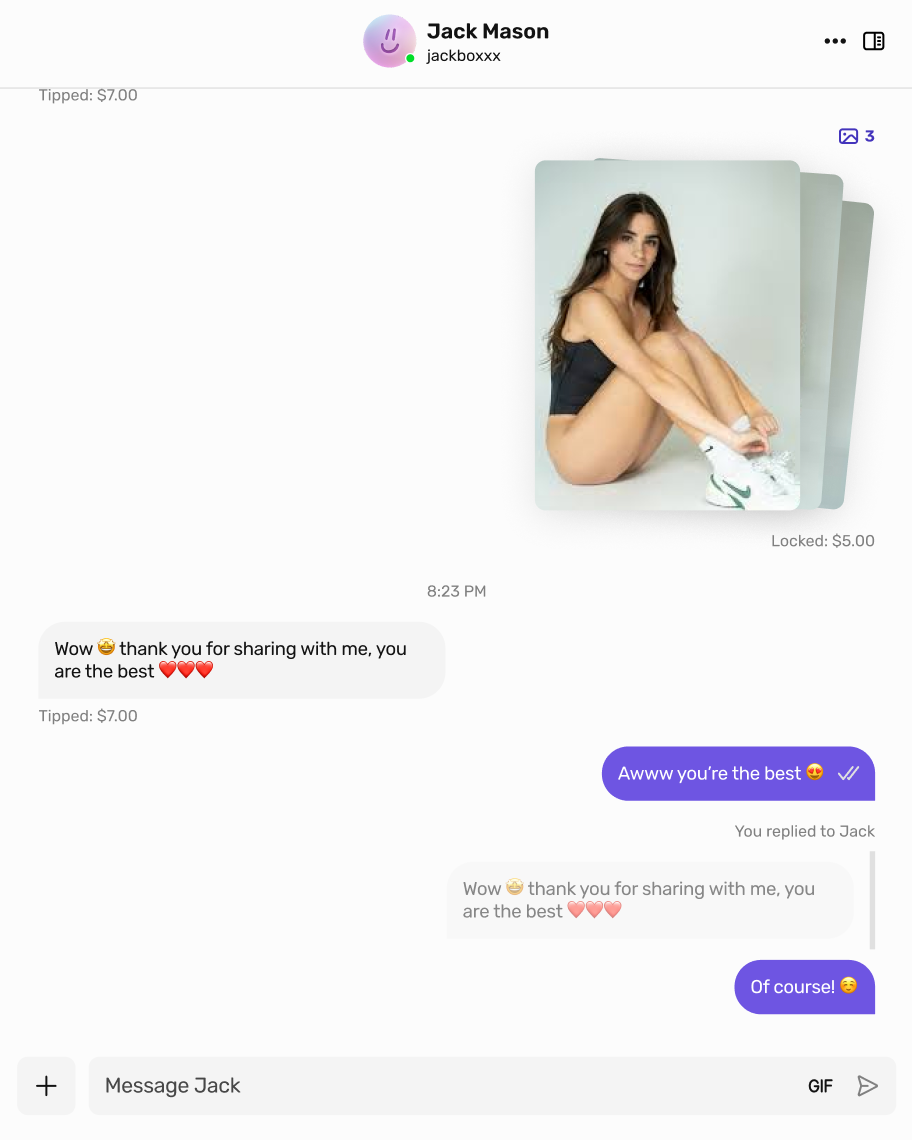
We’ve also added Message Replies, letting you reply directly to a specific message in any chat — just like you’re used to in iMessage or other messaging apps.
This makes conversations clearer and more organized, especially when chatting with multiple fans or responding to long messages. Replies display the original message preview, keeping context front and center.
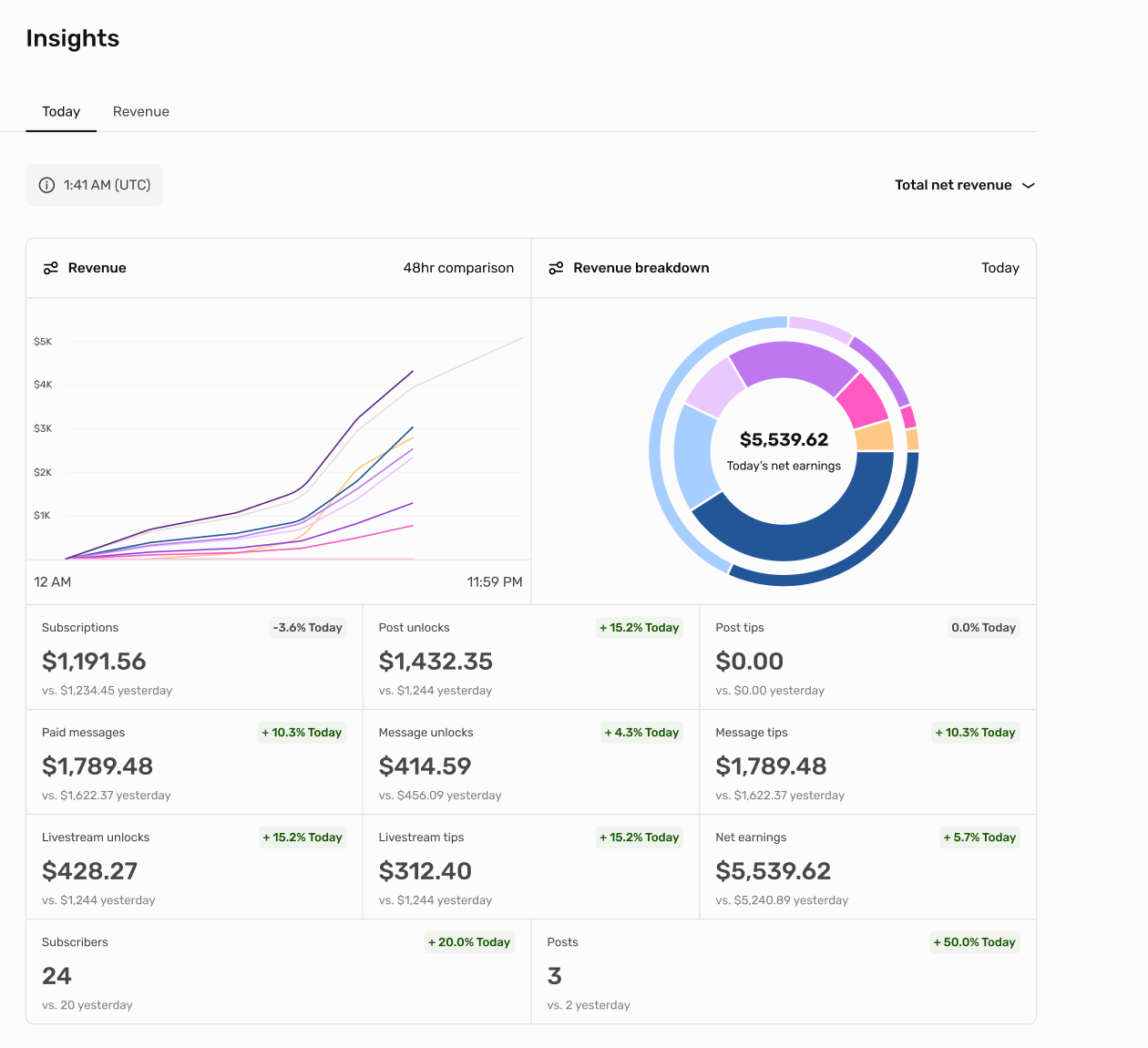
💸 Real-Time Revenue Tracking
Your earnings now update in real time.
Previously, revenue in Insights could take 18 hours to fully reflect. With this update, your dashboard refreshes instantly.
This gives you a much more accurate view of how your content performs throughout the day, helping you:
- Track spikes in engagement
- Measure the impact of new posts or promos
- Understand fan behavior in real time.
🔴 📹 Livestream Recording
You can now automatically record your livestreams and save the files directly to your Vault.
When setting up a livestream, simply toggle on: “Automatically record this livestream and save it to your vault.”
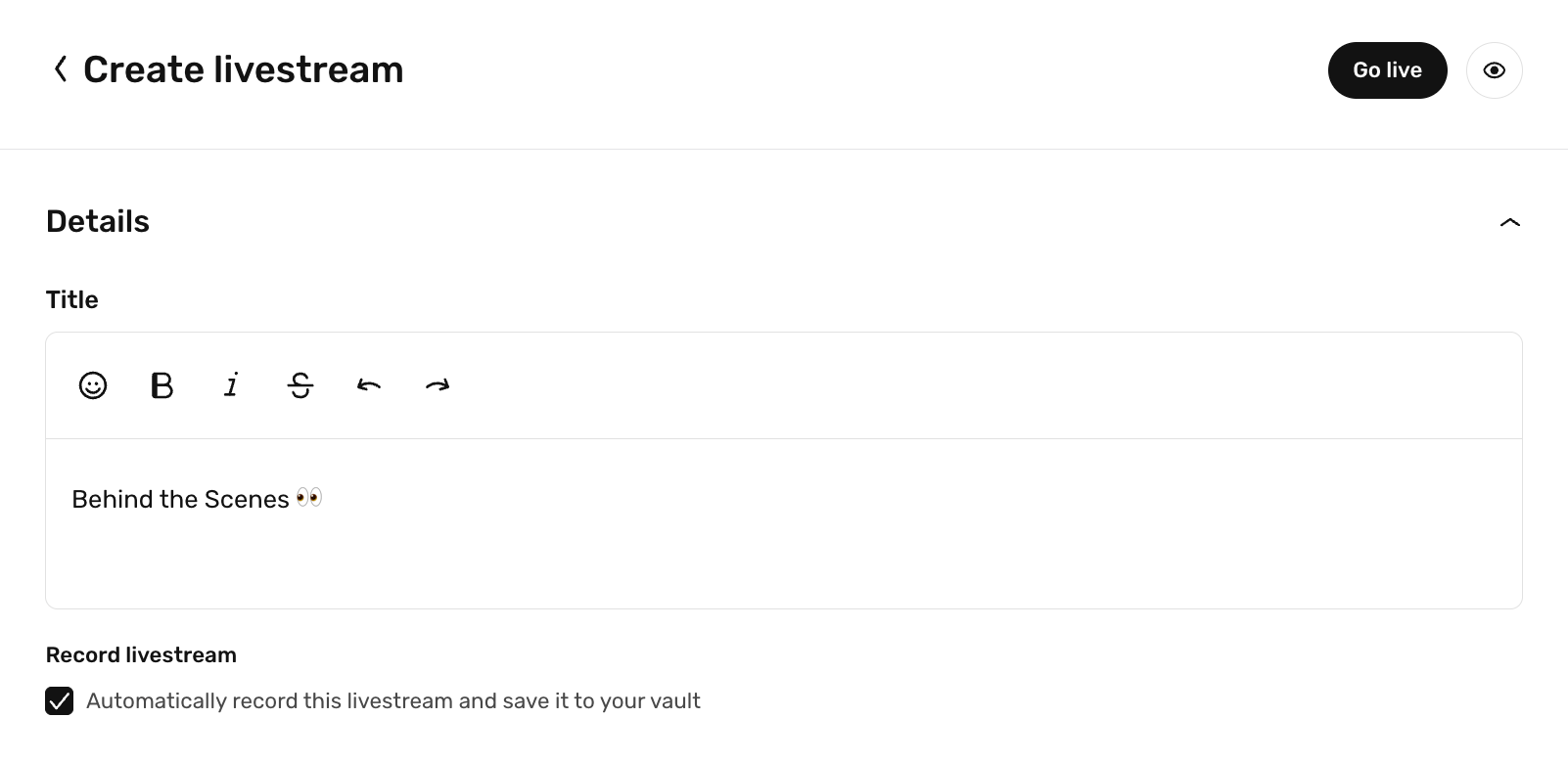
Once your livestream ends, the full recording will appear in your Vault — great for posting replays, creating bonus content, or keeping an archive of your streams.
✅ Live Now
All features are now live for creators. Head to:
- Livestream → to use OBS and enable auto-record
- Messages → to send GIFs and use message replies
- Insights → to see your real-time revenue