Introducing the New Fanfix Creator Profile 🚀

The Fanfix Creator Profile is getting a fresh new look.
Beginning today, all creators will be upgraded to a new design that highlights your content, boosts engagement, and gives fans a more immersive experience.
After testing the new design with a limited group of creators, we’ve already seen:
- 📈 More followers across the board
- 💬 Higher message volume from fans
- 💰 Lift in ARPU (average revenue per user)
✨ What's New
A refreshed look designed to grow your fanbase.
- Bigger, more dynamic cover photo — with the ability to upload multiple covers
- Cleaner layout that highlights your Subscribe, Follow, and Message buttons
- Modern design that makes your content pop across devices
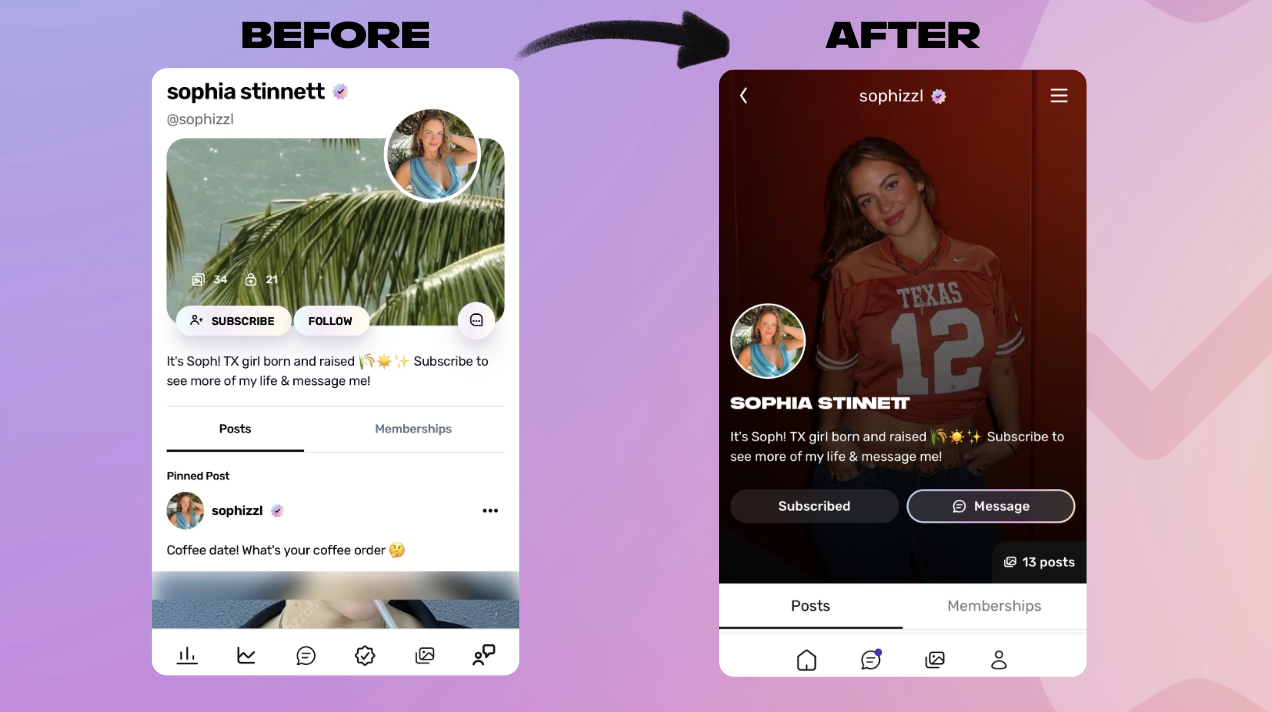
These updates not only make your profile look better — they’ve been shown to boost engagement and earnings for creators already using the new layout.
💬 How to Update Your Cover Image
Your previous cover photo might not fit perfectly with the new design. Here’s how to make sure your profile looks its best:
Recommended image:
Use a large, vertical photo — around 584 × 853 or taller (roughly the same proportions as an Instagram Story).
How to update:
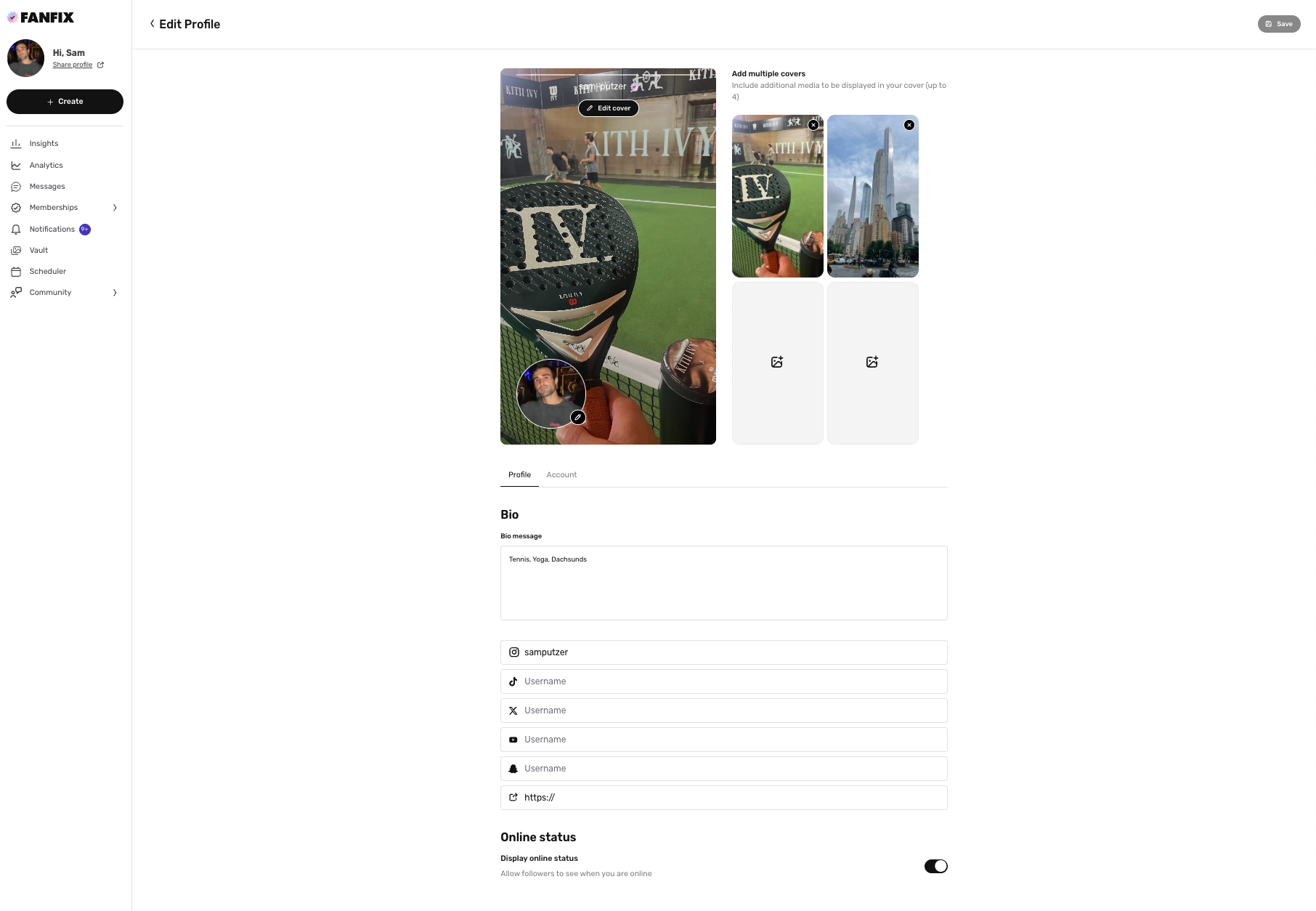
- Go to your Fanfix profile by clicking your avatar → tap Edit Profile
- Tap Edit cover → Upload a new vertical cover image
- (Optional) Add up to four additional cover photos to rotate through
- Review your bio, links, and online status
- Hit Save — and you’re live!
That’s it — your new Fanfix profile is ready to go. We can’t wait to see how you make it yours ✨